 steambro
All your games, in Steam.
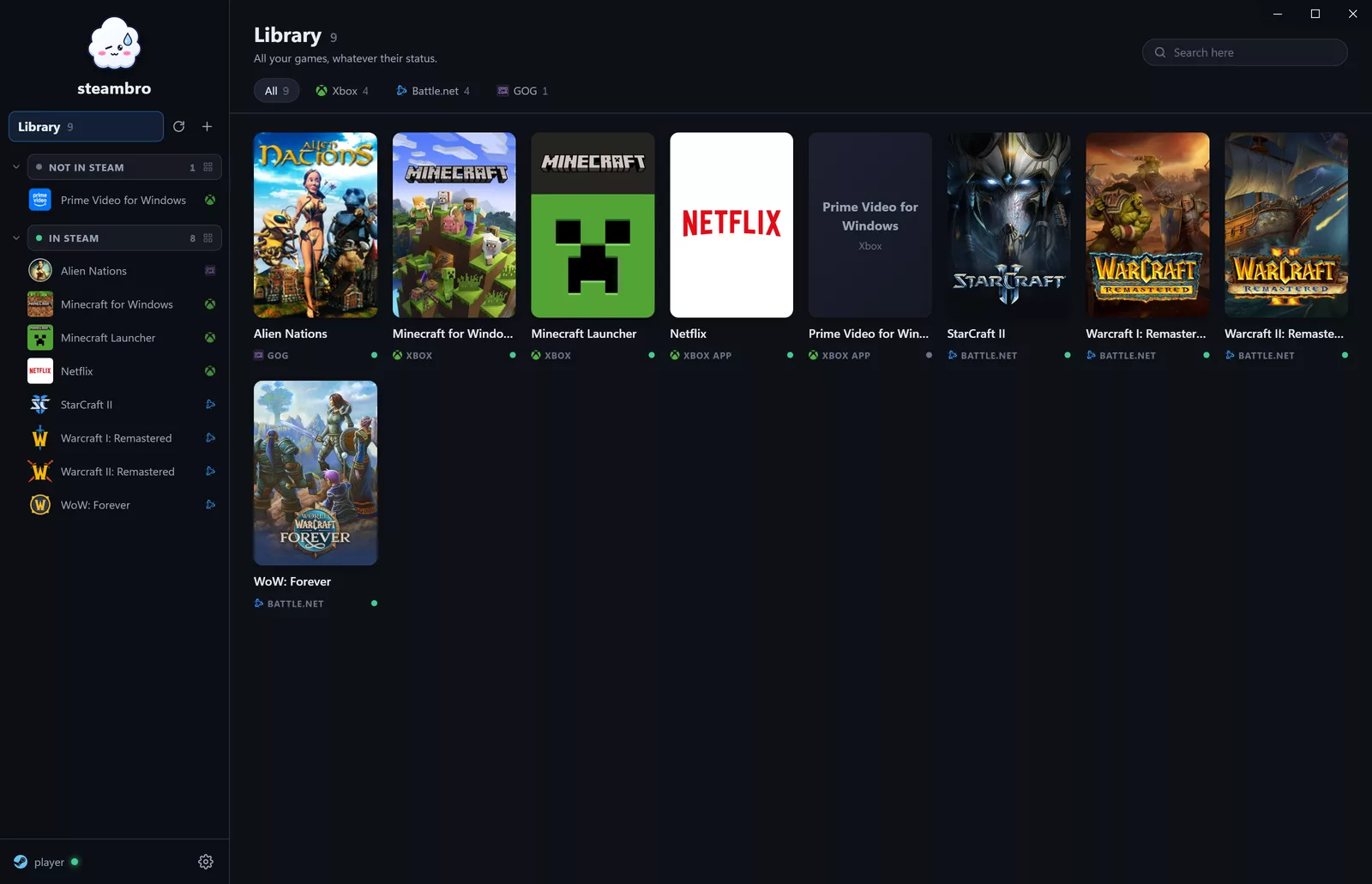
steambro adds your Xbox and Game Pass, Epic Games, Battle.net, and GOG games to Steam, with real artwork. Press Play in Steam or Big Picture and go. Playtime and Steam's overlay just work, Xbox games included.
Mouse and keyboard or controller. v0.0.1, no admin rights, open source.
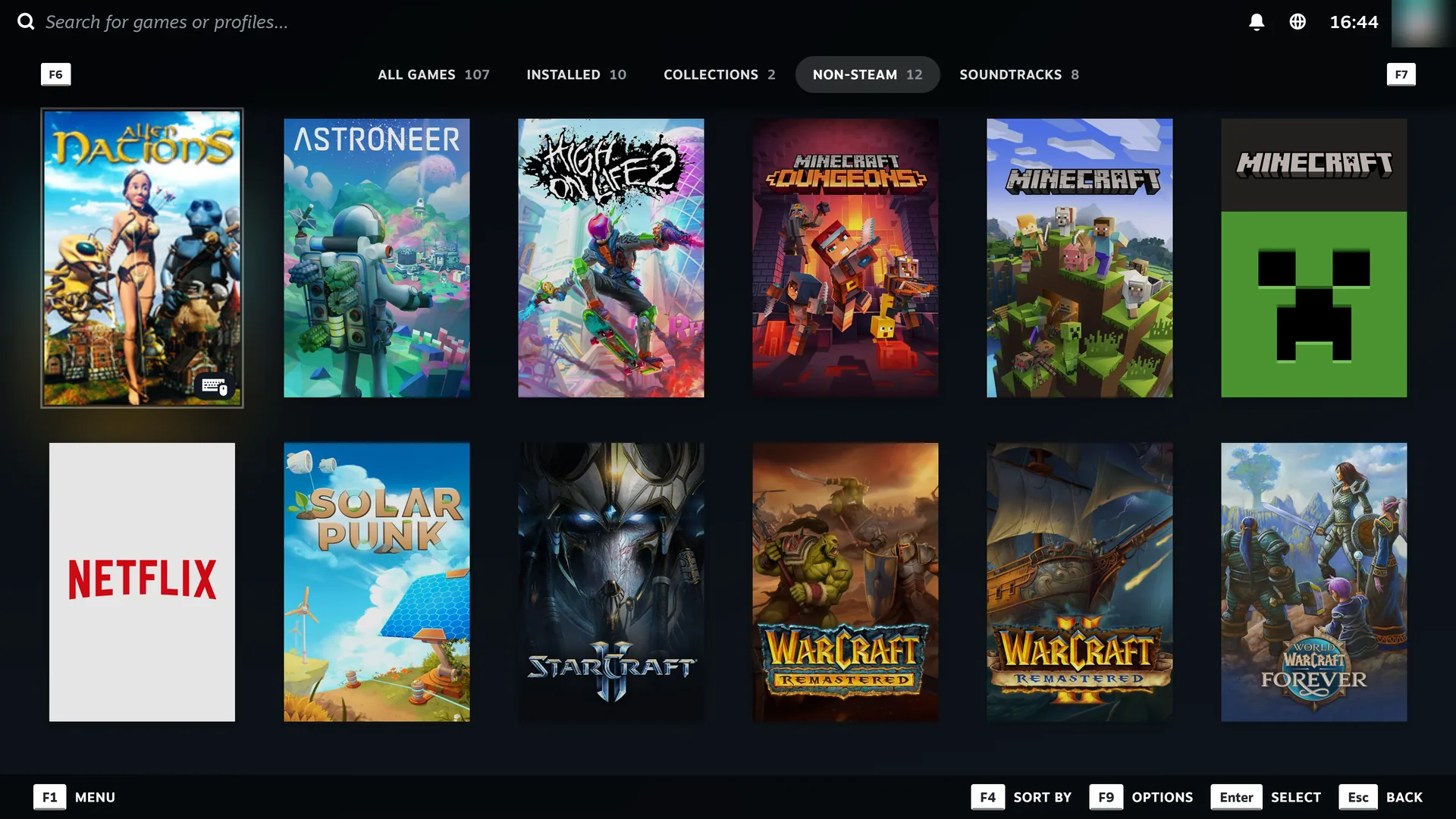
On the TV, like Steam games.
Every store in Steam's Big Picture mode: real artwork, the Play button, and playtime that counts. One library for the couch and the controller.
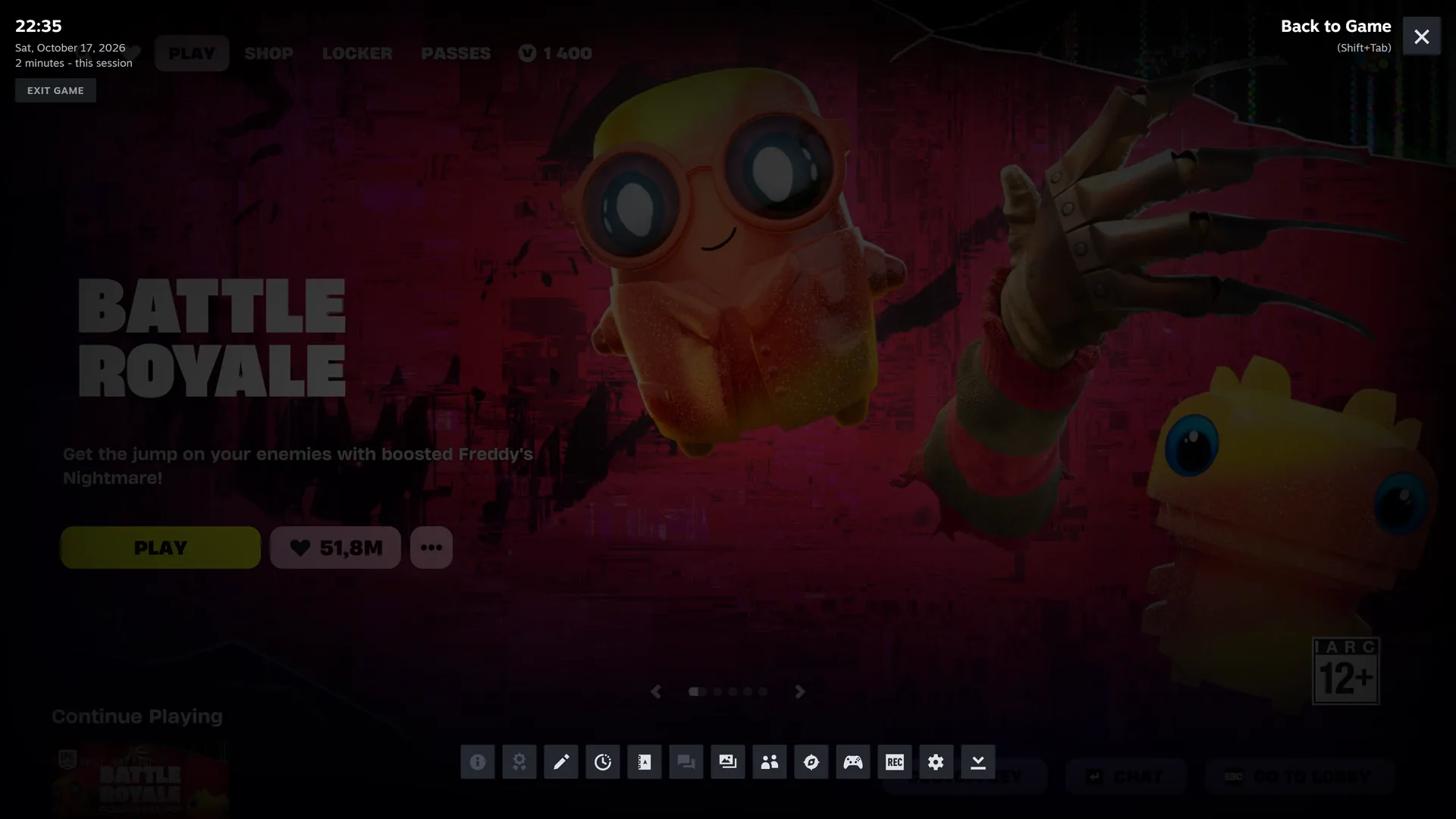
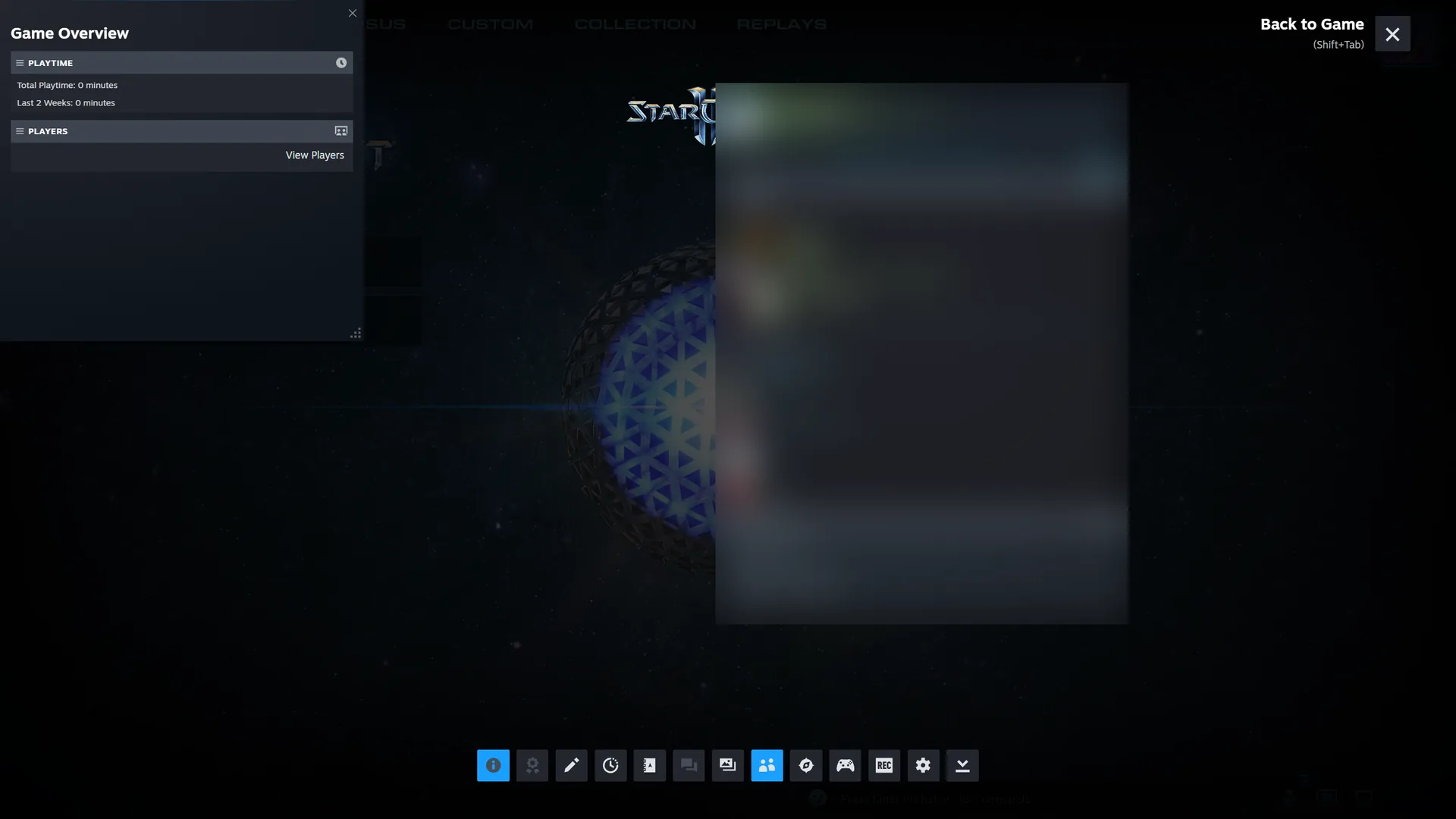
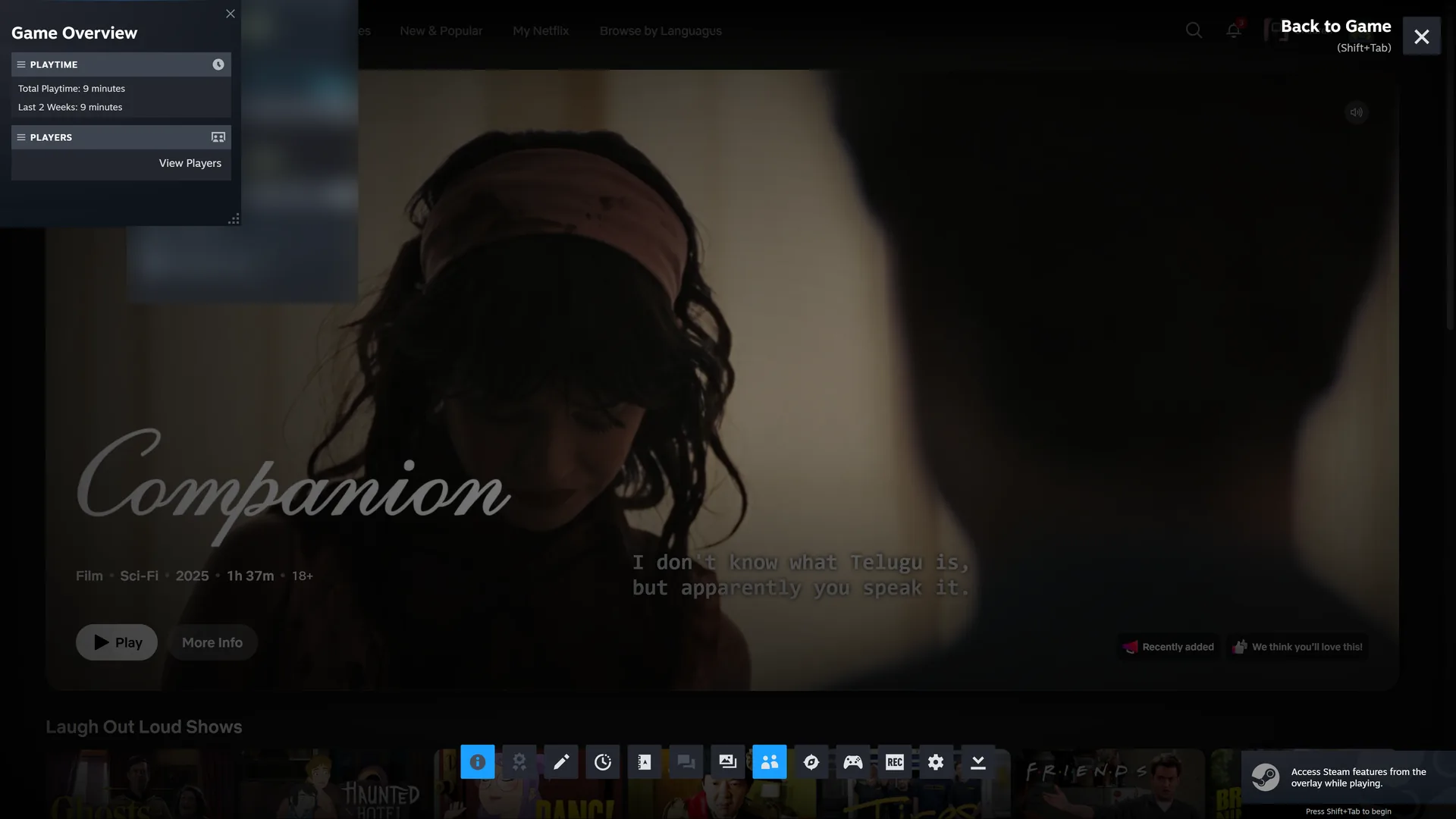
Shift+Tab works everywhere now.
In games and apps that Steam never started: Epic, Battle.net, Xbox games, even Netflix. Your Steam controller layout and Exit game come along.
Finds what you installed.
Xbox app and Game Pass
Steam's overlay, Steam Input, and Exit game included.
How it worksBattle.net
Every Blizzard game, betas and test realms too.
How it worksEpic Games
The launcher closes after you play.
How it worksGOG
No DRM, so Steam starts the game itself.
How it worksApps in the Xbox app
Netflix, Prime Video, and Apple TV, in full screen.
How it worksAnything else
Press + and pick the exe. It gets its icon and its folder's name.
More stores are next. steambro reads each store's records and never scans your disk.
A shortcut isn't enough.
Steam's Add a Non-Steam Game gives you a Play button. Steam then follows the program it started, and most stores hand the game to another one. The usual complaints, and what steambro does about them:
Steam overlay not working in Game Pass games
Windows starts Xbox games, not Steam, so the overlay never loads in them. steambro gives it a window of its own over the game.
Controller not working, no Steam Input
Steam's controller layout reaches only what Steam started. steambro starts the Epic and Battle.net launchers inside Steam. Xbox games get your layout as an Xbox controller.
Steam says the game stopped right away
Launchers start the game and quit, so Steam thinks you're done and counts nothing. steambro runs until the game closes.
Launcher already open, game outside Steam
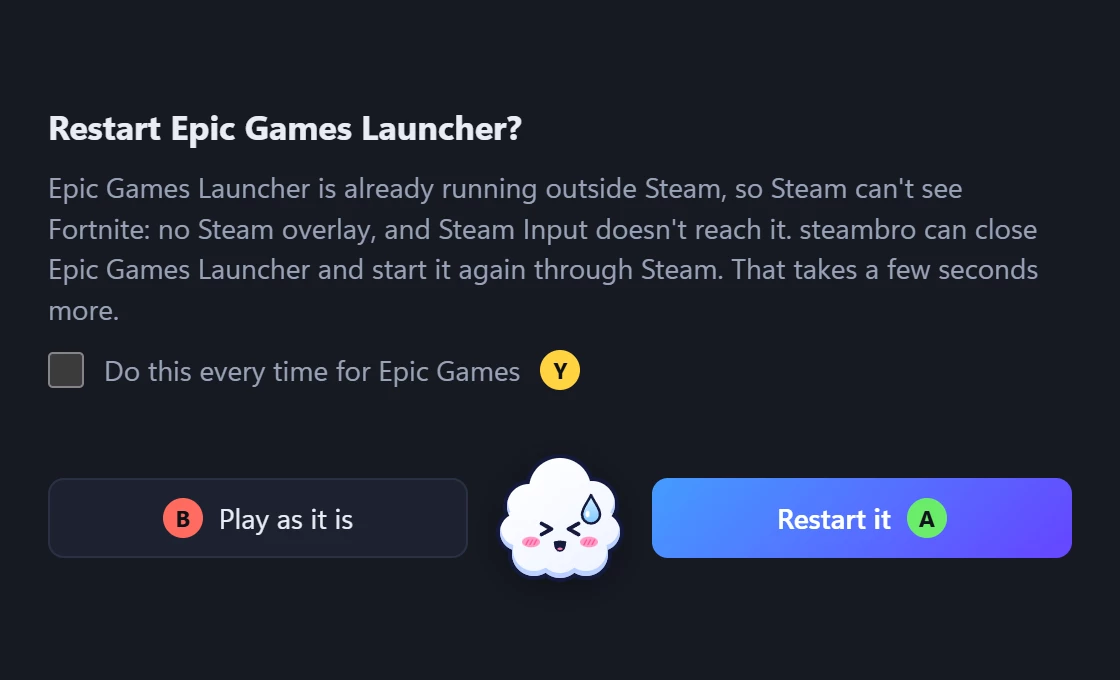
An open Battle.net or Epic launcher starts the game where Steam can't see it. steambro asks once and restarts it through Steam.
Missing or wrong-size artwork
A new shortcut gets gray boxes. steambro takes the store's own images and cuts them to Steam's sizes.
Exit game doesn't close it
Steam ends the program it started, not the game. With steambro, Exit game ends the game, Xbox games too.
Three steps.
Install
Installer or portable zip. No admin rights.
Add to Steam
Pick your games and choose Add. Steam restarts once.
Play
Press Play in Steam or Big Picture. That's it.
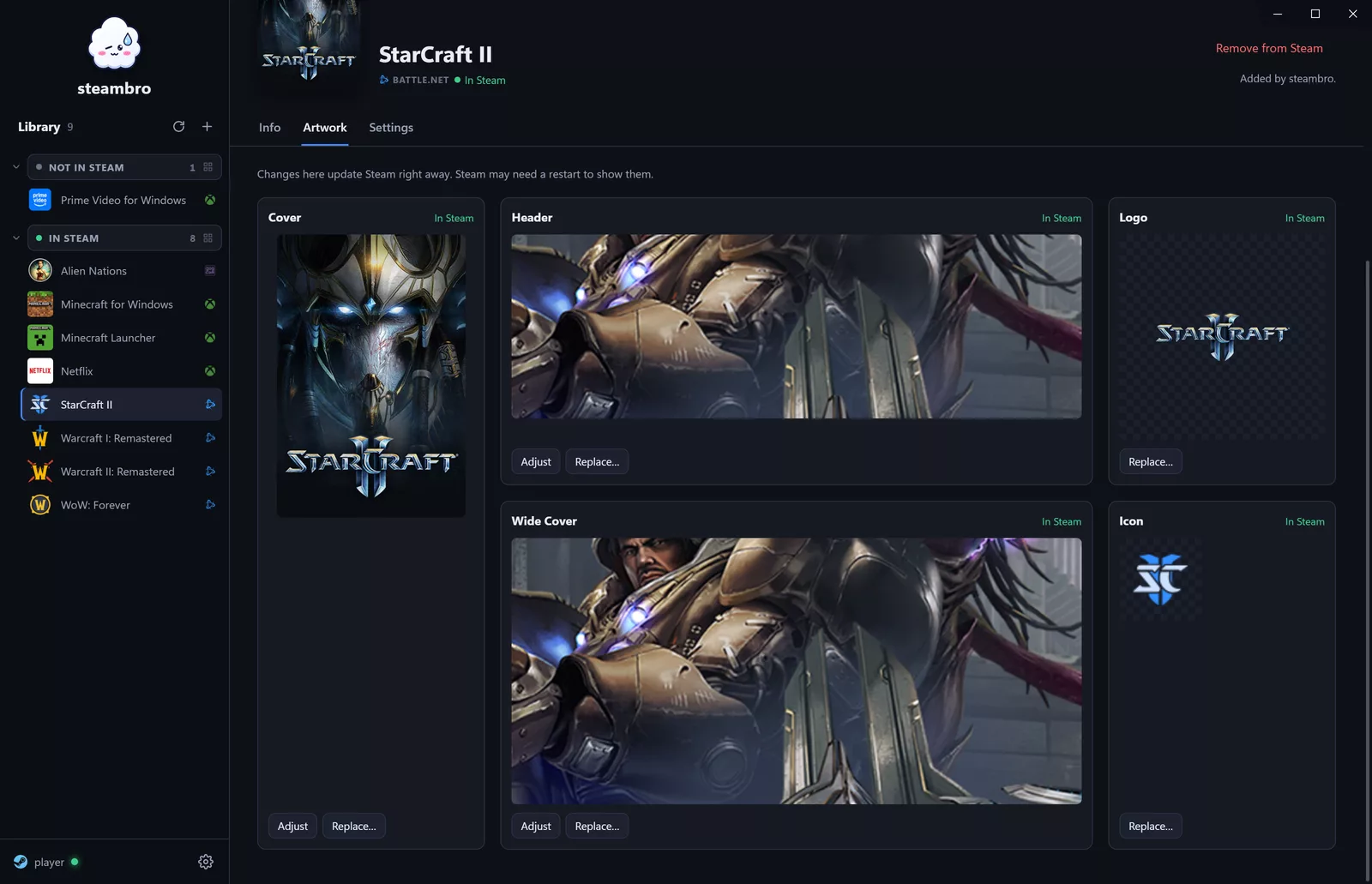
Real artwork in all five slots.
From the store itself, cut to Steam's sizes. Adjust any crop, or use your own image.
- Cover
- 600 × 900
- Wide cover
- 920 × 430
- Header
- 3840 × 1240
- Logo
- over the header
- Icon
- for the list
Store quirks, handled.
Battle.net or Epic already open? Then Steam can't see the game. steambro asks once and restarts it through Steam.
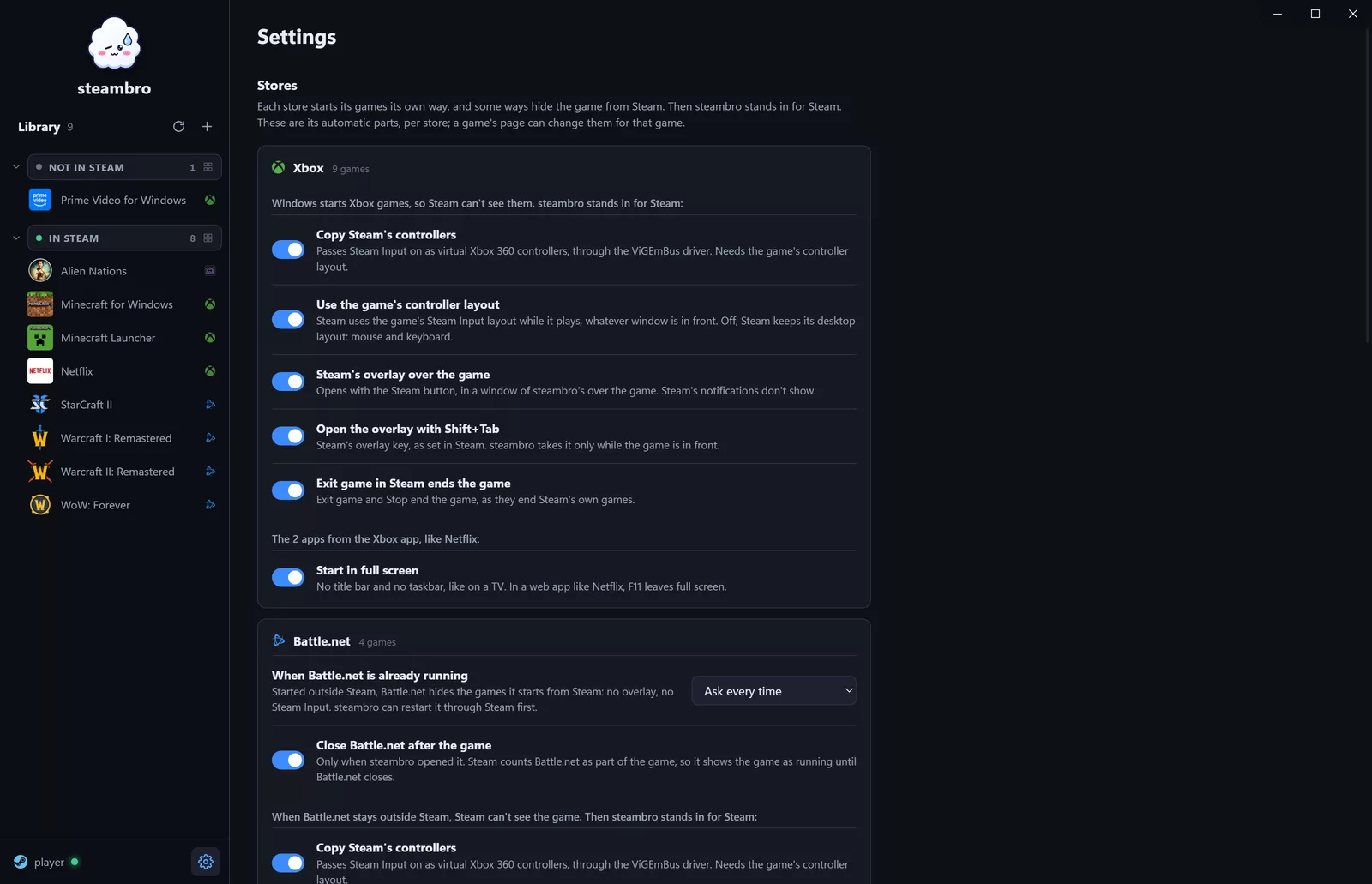
Every automatic part is a setting, per store and per game. The defaults fit most games.
Fair questions.
Does it touch my games?
No. No code in games, no DRM, no anti-cheat. Games start the official way, through their store or Windows.
Do I need a controller?
No. Mouse and keyboard work as usual. With a controller, your Steam layout reaches every game, Xbox games too.
What about UWPHook, BoilR or Steam ROM Manager?
Good tools, and a shortcut is all many games need. Xbox games need more: Windows starts them, Steam never sees the game, so no overlay and no Steam Input. steambro stands in for Steam there. Games you added yourself, by hand or with another tool, show as In Steam, and steambro leaves those shortcuts alone.
Why does Windows warn me?
The files aren't signed yet. Choose More info, then Run anyway. Or build it from the source.
What's the driver for?
Non-Xbox controllers in Xbox games, like the Steam Controller. It's ViGEmBus, a free driver, and it's optional: steambro tells you when a controller needs it and links the official installer.
What does it change?
Steam's shortcuts and artwork for the accounts you pick, with a backup. Its own folder. Nothing else unless you ask.
Steam Deck or Linux?
No. Windows only.

One library. Go play.
Windows 10 or 11 with Steam. Windows 10 needs WebView2, which comes with Edge.